Please note: This page is adapted from something I originally wrote at Videogamesage. You can view the original document here. Edits have been made for clarity and as new information has been discovered.
The Family BASIC Data Recorder is an officially licensed tape recorder intended to be used with Nintendo's Family Computer video game console. It was released alongside Family BASIC in 1984. Family BASIC was a fully functional BASIC interpetor meant to be used to program homebrew games. The data recorder enabled Family BASIC users to save/load programs to/from a standard audio cassette tape. Later, it was utilized by some developers to save game data. Primarily, custom levels.
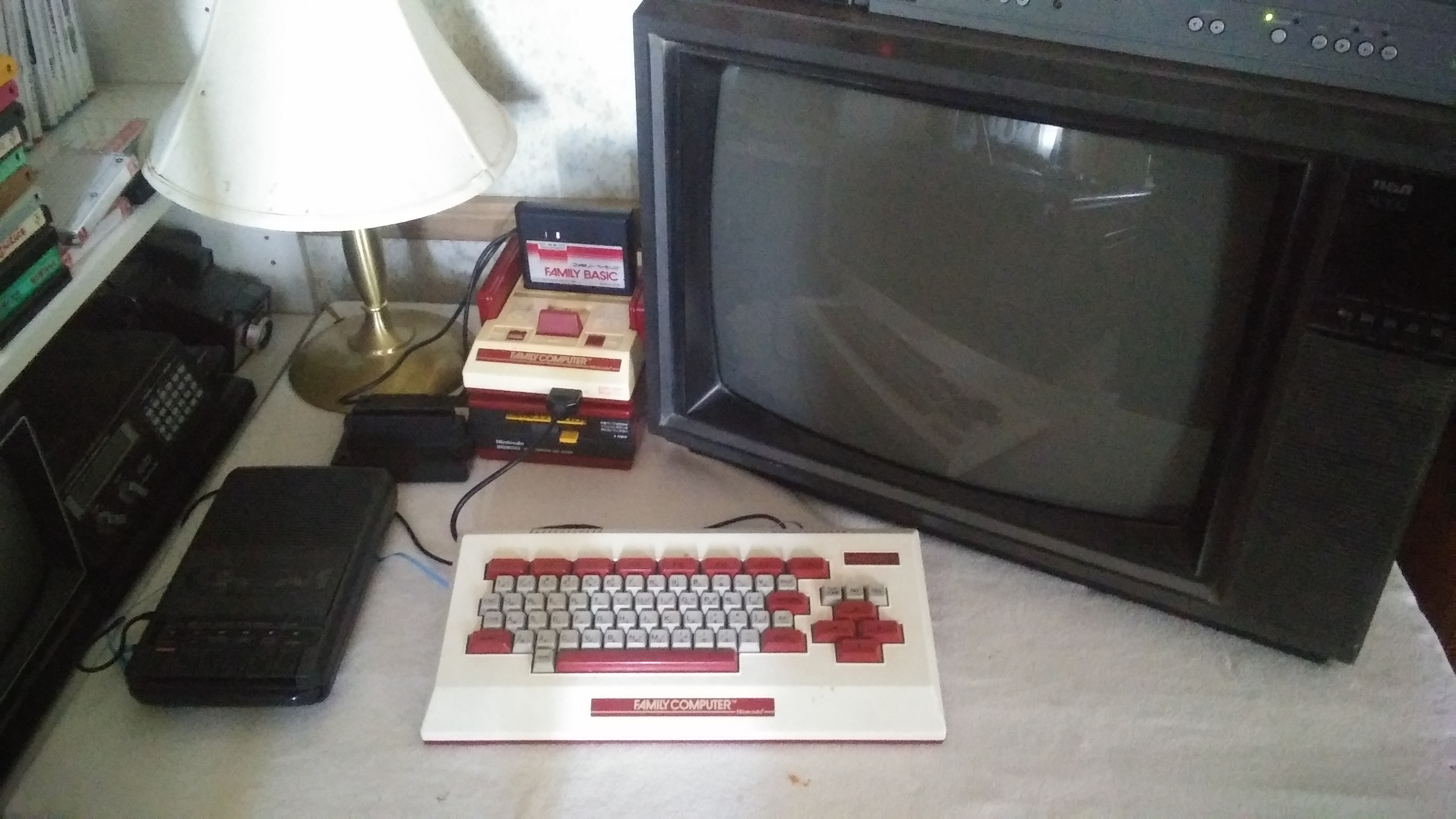
The Family Computer Keyboard acted as a passthrough to connect the Family BASIC Data Recorder to a Famicom. Two 3.5mm jacks, audio in and audio out, are present on the keyboard. Other accessories would pop up later that served the same purpose. However, this is the only official method.
Unlike the Famicom Disk System, which used a proprietary disk drive, The Family BASIC Data Recorder is simply a Nintendo branded tape recorder. No special hardware exists within it. Users are able to utilize any off the shelf tape player. So long as it has the right connectors.
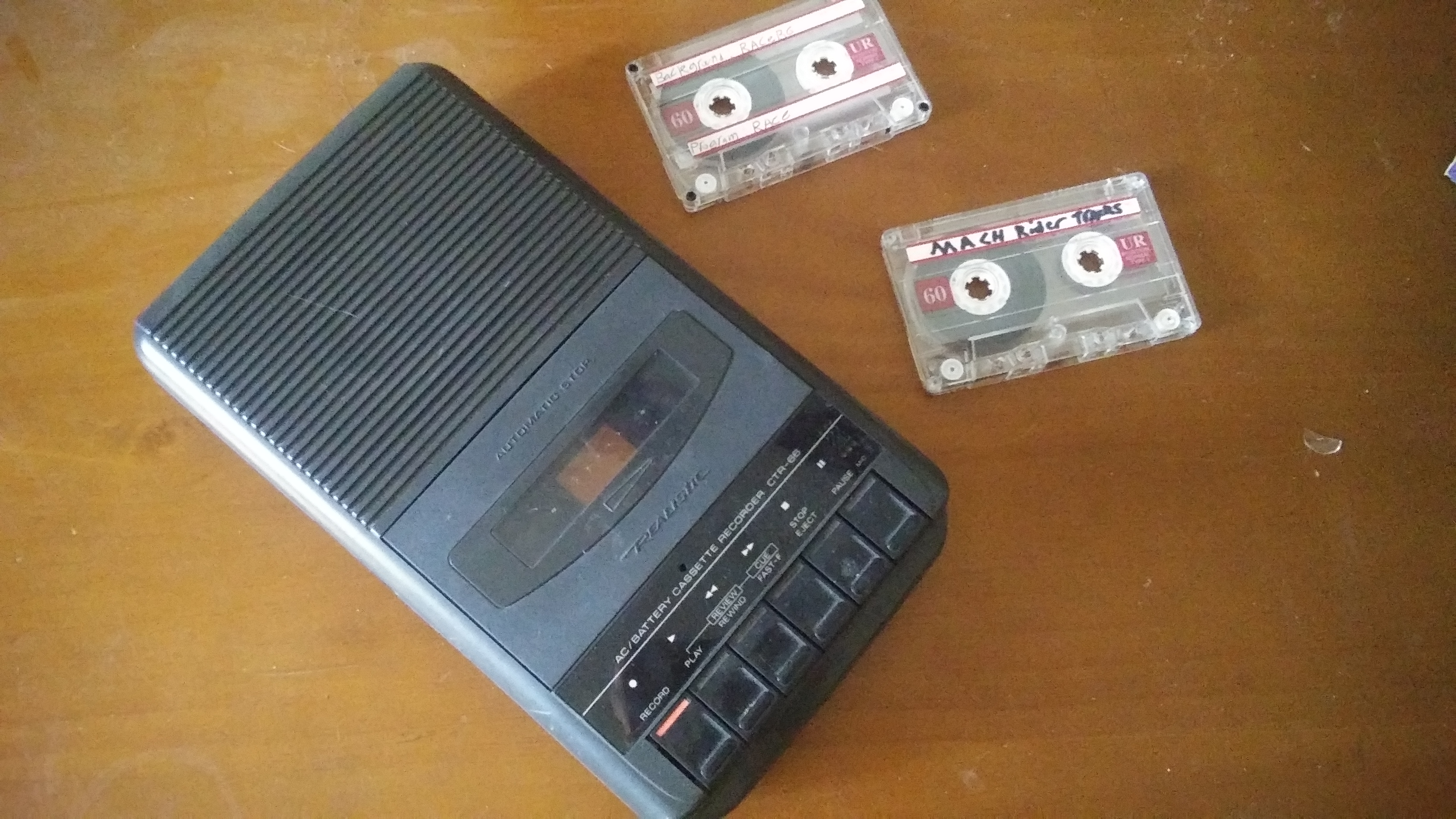
The cassette deck seen above is what I use. I wholly recommend using some kind of tape player. Smartphones and computers tend to equalize recordings, which leads to issues when trying to load.
The Family BASIC Data Recorder (henceforth refered to as FDR) works with 7 Japanese Famicom titles. Those are Family BASIC, Excitebike, Arkanoid II, Wrecking Crew, Mach Rider, Lode Runner, and Castle Excellent. Wikipedia claims that Nuts & Milk is also compatable. As far as I can determine, this is false.
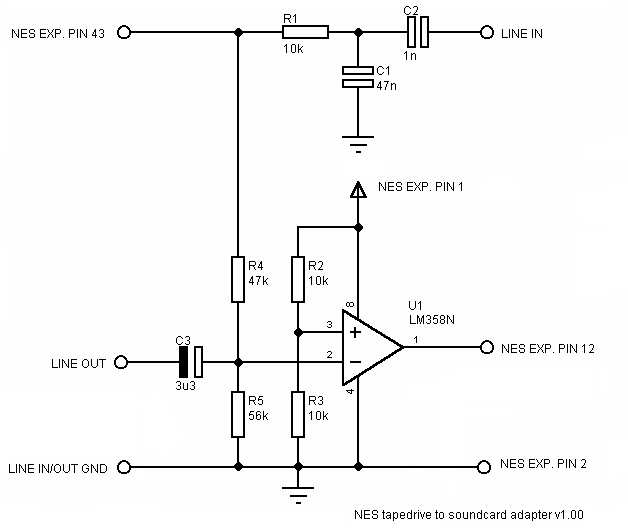
With regard to the Nintendo Entertainment System, support was left in Mach Rider, Excitebike, and Wrecking Crew. No accessory was ever released in the west to enable access to these features. While it's possible to hook up a Family Computer Keyboard to the NES, it's not exactly easy. Data recorder support can be added to any NES console with this circuit, bypassing the need for a Family Keyboard.
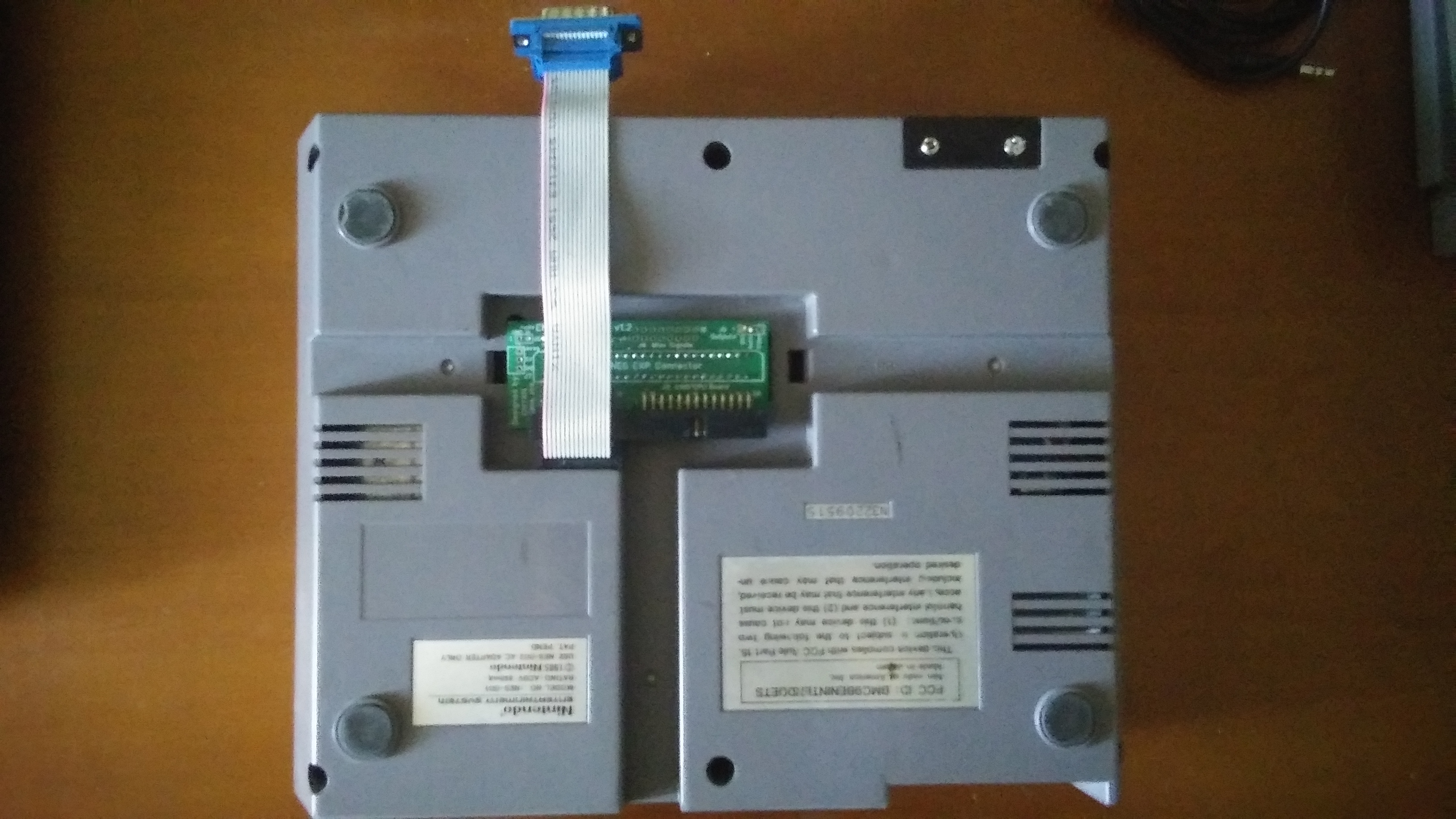
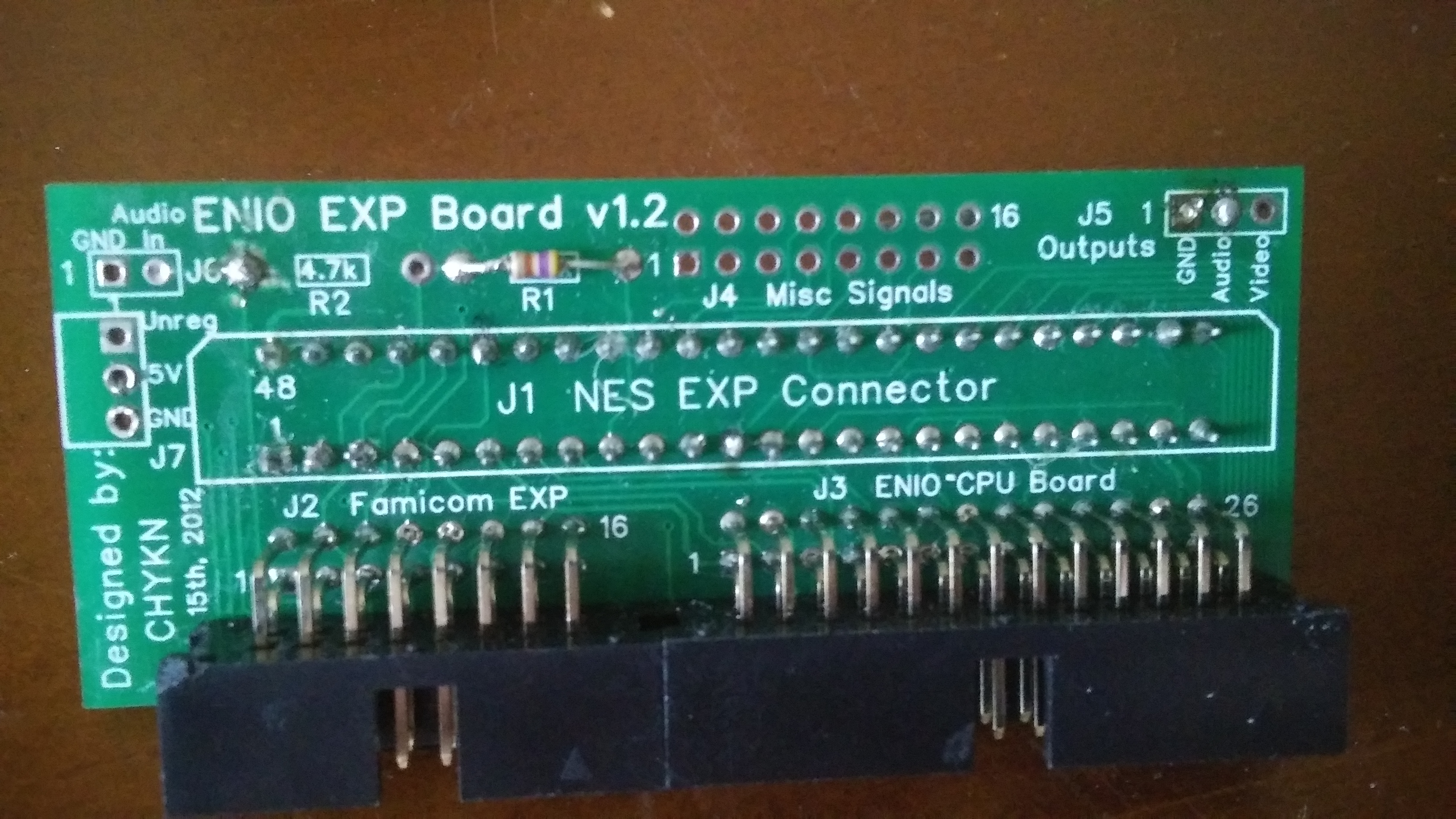
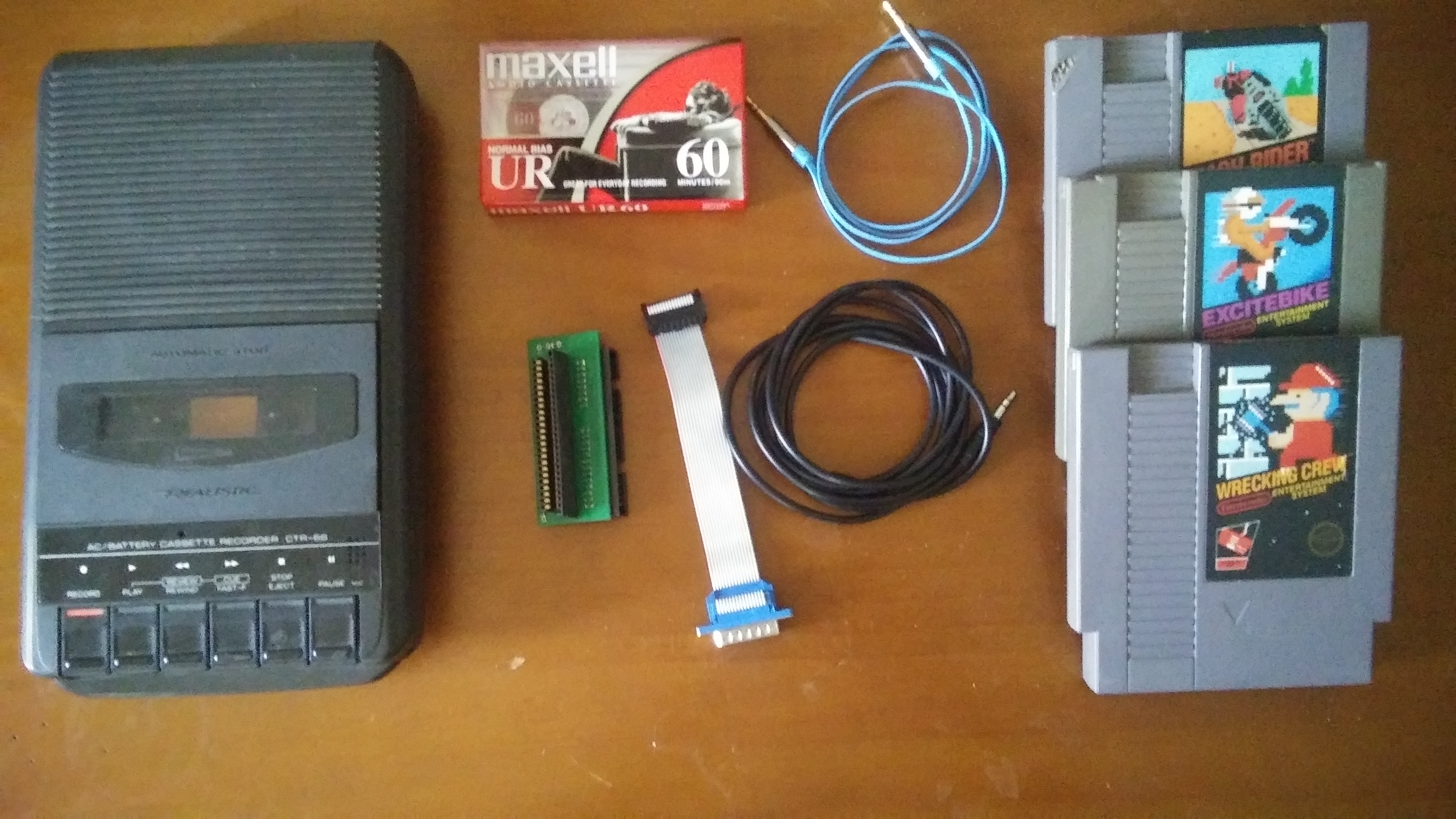
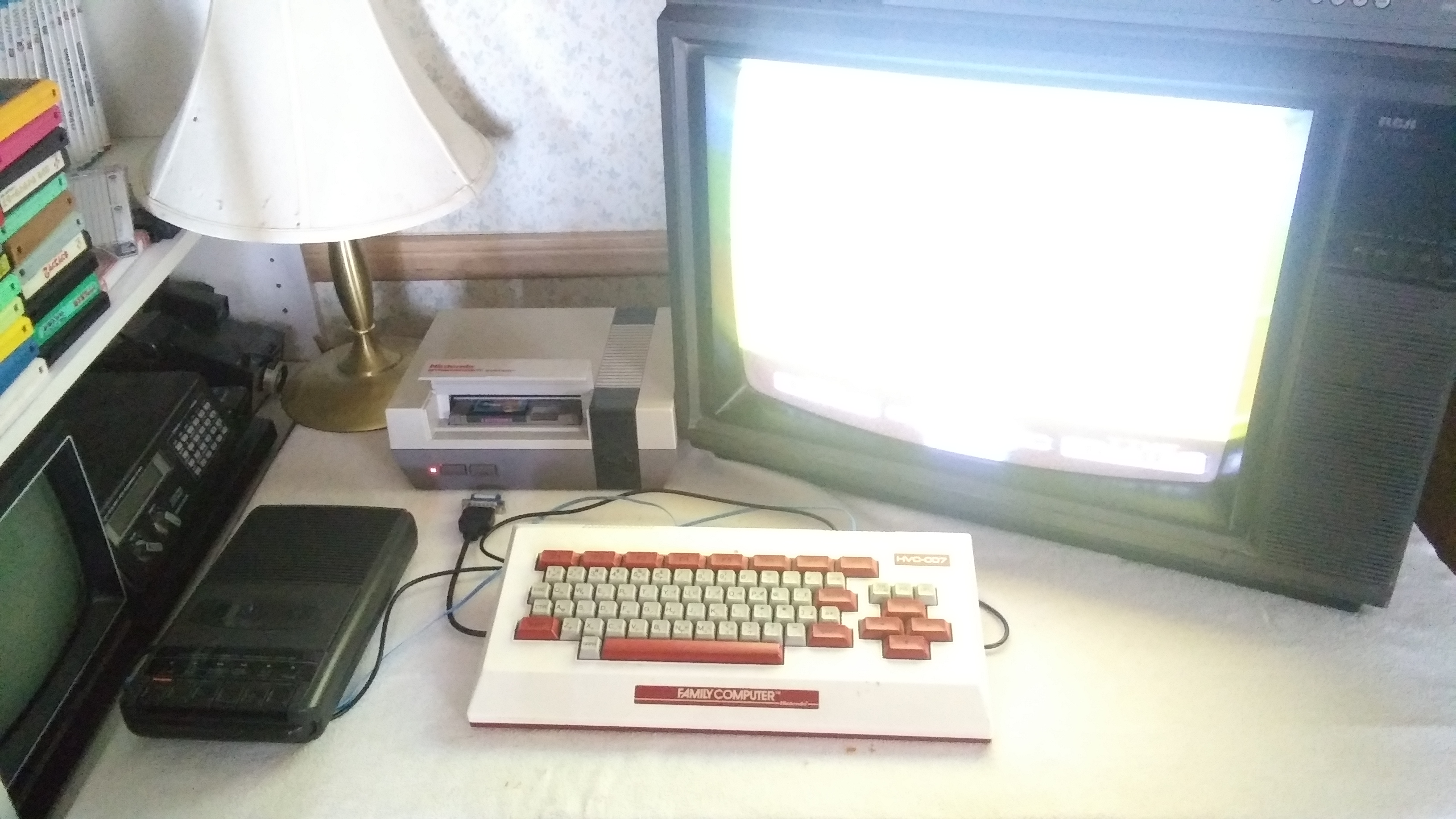
As mentioned above, you can wire up your NTSC-U NES to work with this and there are games that use it. Baring that, you can use the setup pictured above. You'll need an Enio Expansion Board, as well as a Famicom Keyboard. I don't think the enio expansion board is available anymore. You're better off building the interface yourself. I've also been able to confirm that everything works with the RetroUSB AVS. I don't know about the Analogue NT, as I do not have one to test with.
PAL released games are also compatible. (same titles as NTSC-U) Testing was done using an AVS set to PAL video mode, and an Everdrive running PAL ROMs. It appears that the timing differences inherent to PAL and NTSC causes some issues. However, it does work. Between applicable Japan and US versions of games, games save and load perfectly.
Users are able to save as much information as they’d like to any given tape. The amount of data that each tape can hold is dependent on how long the tape is.
There's not much here. it's essentially a convoluted/limited method for save stating. All of these things can and have been done with save states/SRAM mods. Does that mean you shouldn't use the Famicom Data Recorder? No, it's a really cool little setup. What I'm saying is that you're not missing out on anything if you decide you would like to skip it. The fact is, this technology was already out of date when it was released. Nintendo would release their Disk System 2 years later. The Disk System allowed for users to save progress directly onto the same Floppy Disk that contained the game. This made the Data Recorder completely and utterly obsolete.